Import Shopify products, ready to sell in every store you run
CopyHero is a Shopify product importer that turns product pages into finished listings for your store: rewritten with AI, translated, repriced, and with fresh product images in your store's look. Found a product on another Shopify store? Paste the link. Opening a store for a new market? Send your products there. No copy-paste clones, and no rebuilding by hand.
The same product. A listing made for each market.
Opening a store for another market usually means redoing every listing by hand: language, prices, photos. Shoppers can tell when a store was built for them, and when it was copied over. Here's one product after CopyHero sent it from a US store to a German one.
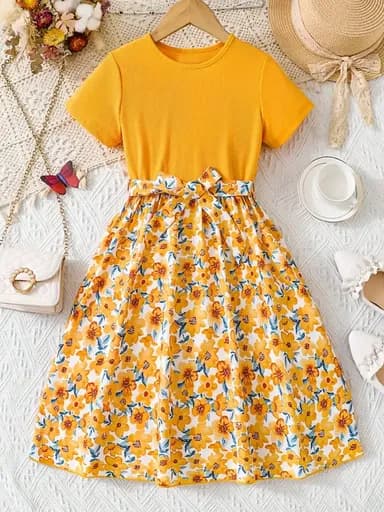 Your US store
Floral Summer Dress with Tie Belt – Light and Breezy
- Title and description in English
- Flat-lay product photos
- Priced in US dollars
$39.95
 Ready for your German store
Geblümtes Sommerkleid mit Bindegürtel – leicht und luftig
- Title and description rewritten in German
- Fresh lifestyle images in this store's look
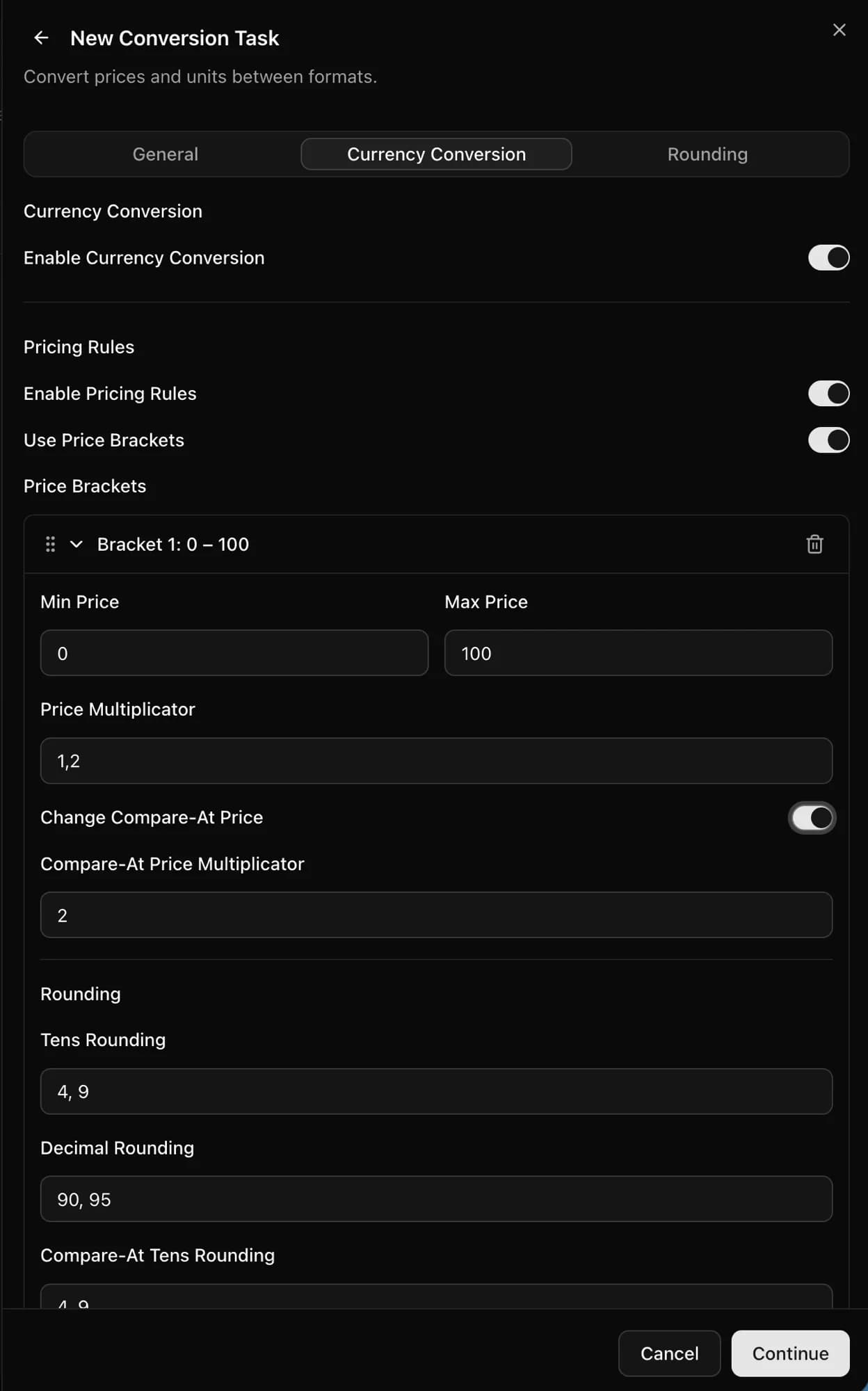
- Converted to euros and rounded to .95
34,95 €
Example for illustration: one product, prepared for two stores.
Opening a store for a new market? Fill it with listings like this.
How do you import products from one Shopify store to another?
With CopyHero, importing products from one Shopify store to another takes three steps: add the products, choose how they should read and look, and pick the store. The rewriting, translating, and pricing happen in between.
Pick your products
Paste product or collection links from any public Shopify store, your own included. Browsing? The Chrome extension imports the product you're viewing into your Product Library.
Make them fit the store
Set your templates, the store's language, and your pricing rules once. Every product gets new copy in the right language, fresh images, and local prices.
Publish to your store
CopyHero creates each finished product in the store you pick, as a draft if you want a last look. Opening a new market? Send the same products there too.
Everything shoppers see, finished for each store
CopyHero finishes the copy, images, language, and price of every product in one pass, for every store you sell in.
Copy that sounds like your brand, not theirs
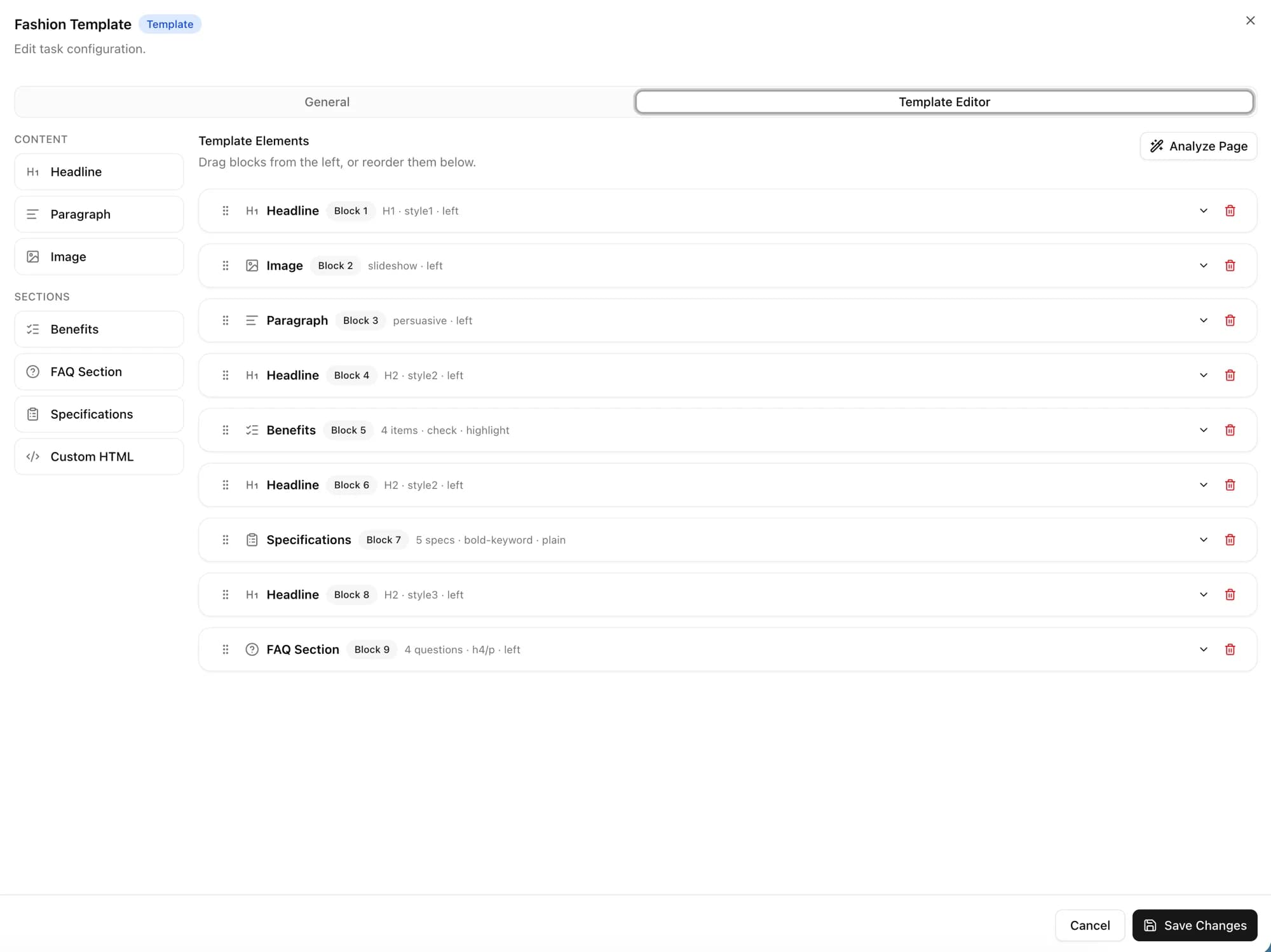
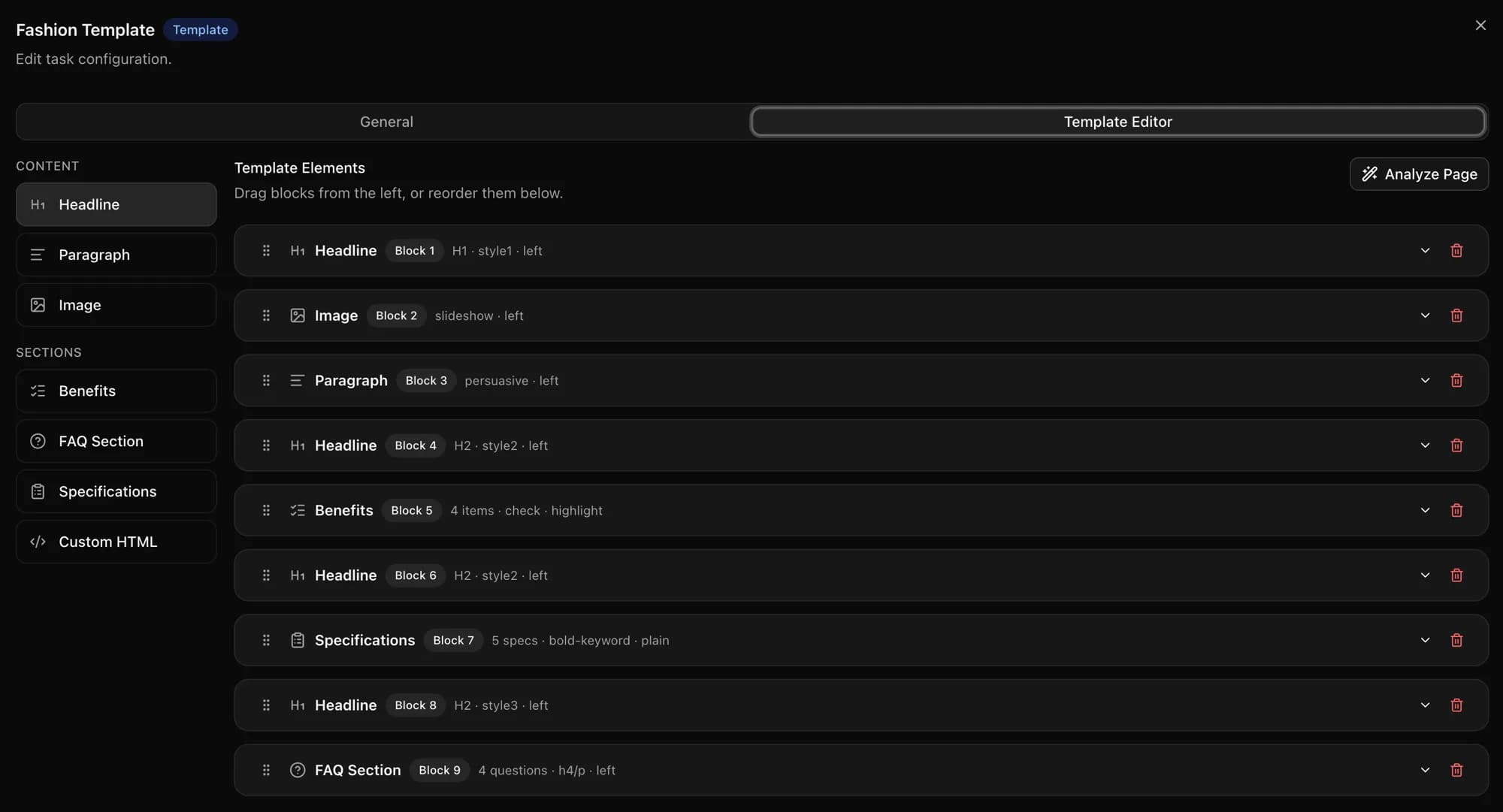
Copy another store's text word for word, and your page is just a copy of theirs. CopyHero rewrites every title and description from your own template: headline, benefits, specs, and FAQs in the order you choose, plus your own prompts for SEO titles and descriptions.
Fresh product images in each store's look
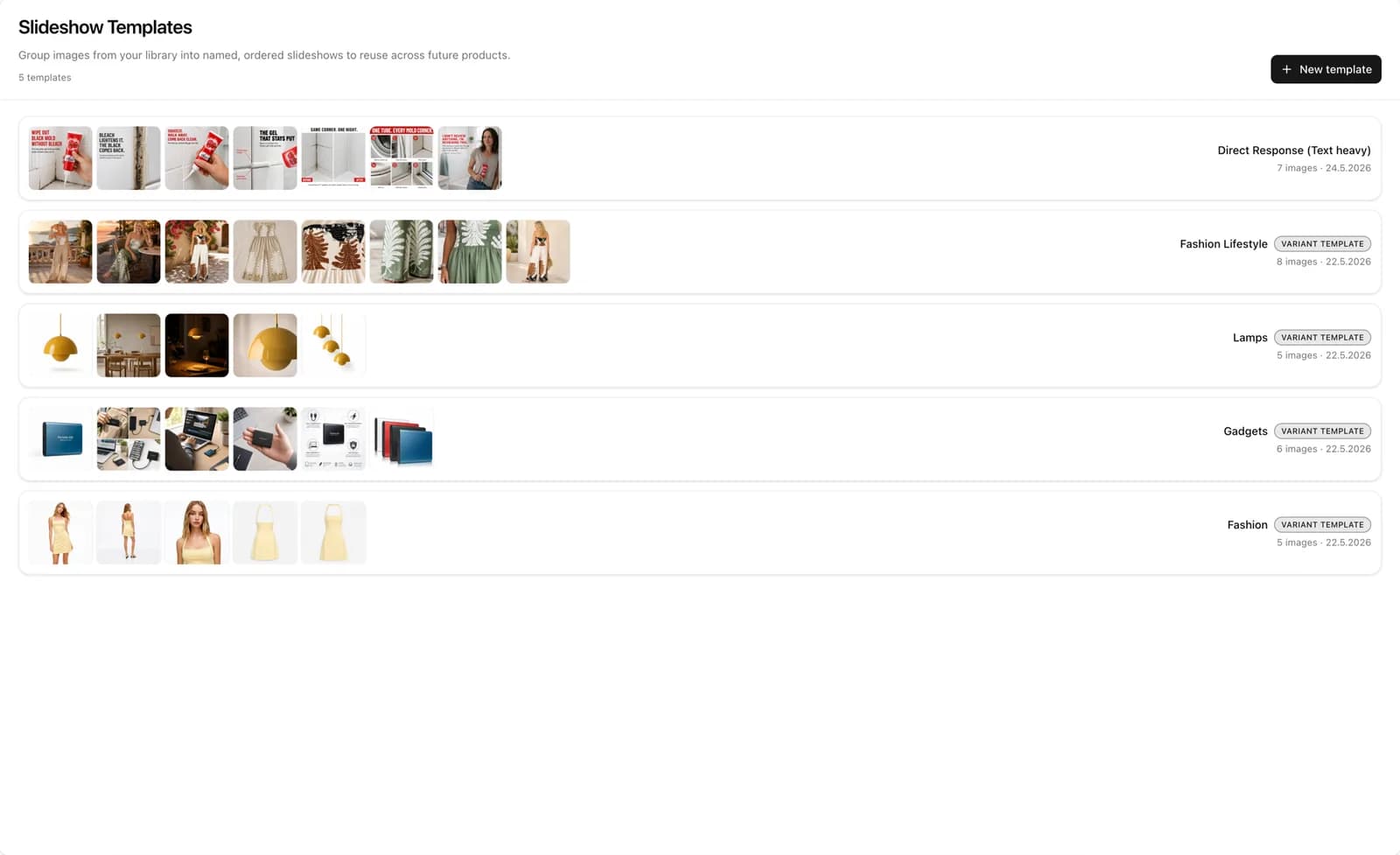
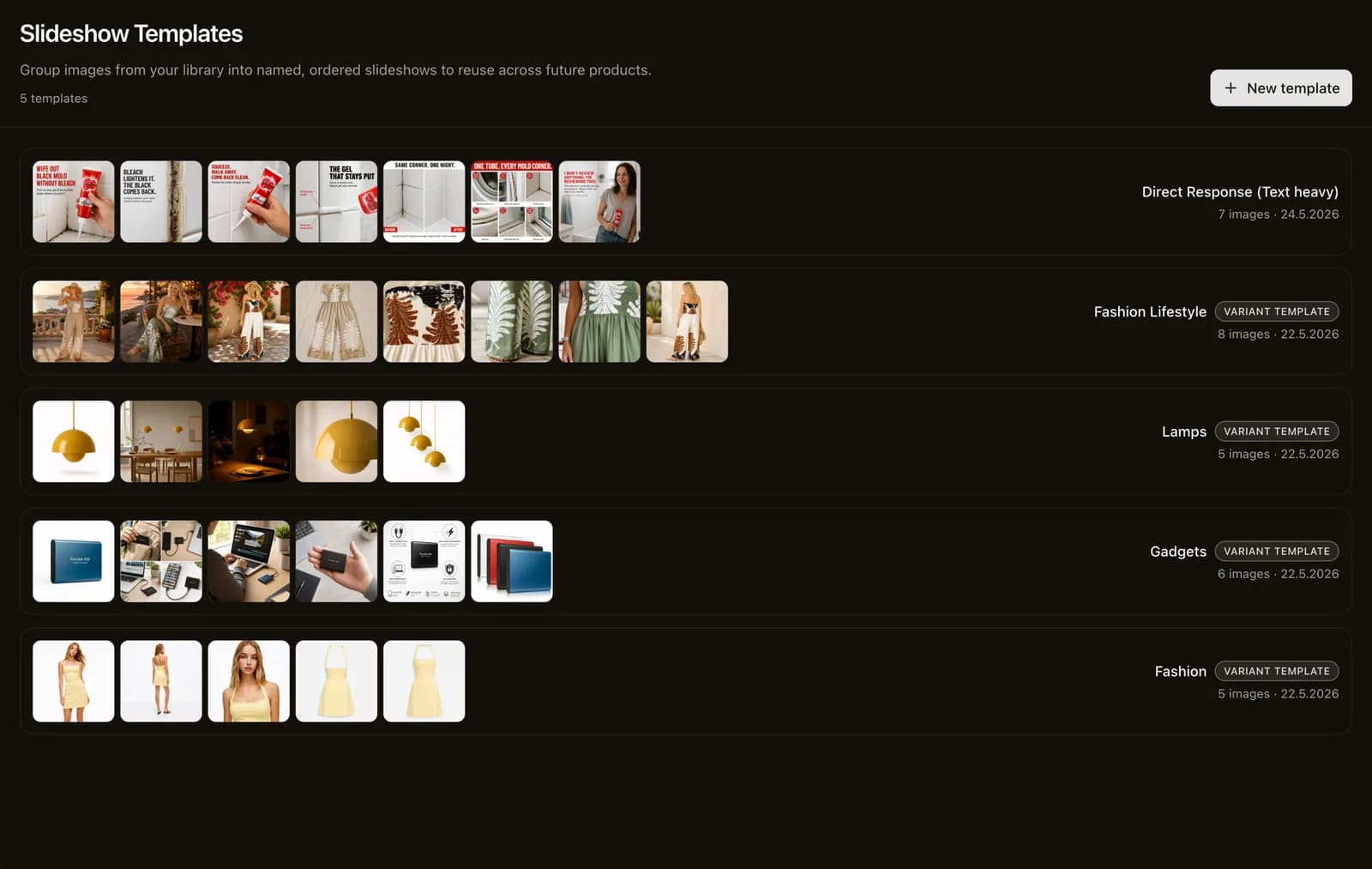
Product photos set the look of a store, and each of your stores can have its own. Save an image template for each store's style, and CopyHero generates new product images from the product's own photos in that look: lifestyle scenes for one store, clean studio shots for another.
Every store in its customers' language
Set translation to the store's language once, and every product lands in the language of the store you send it to, from title to FAQ. Text inside a product image? Translate it with CopyHero's image translator, which keeps the layout and look.
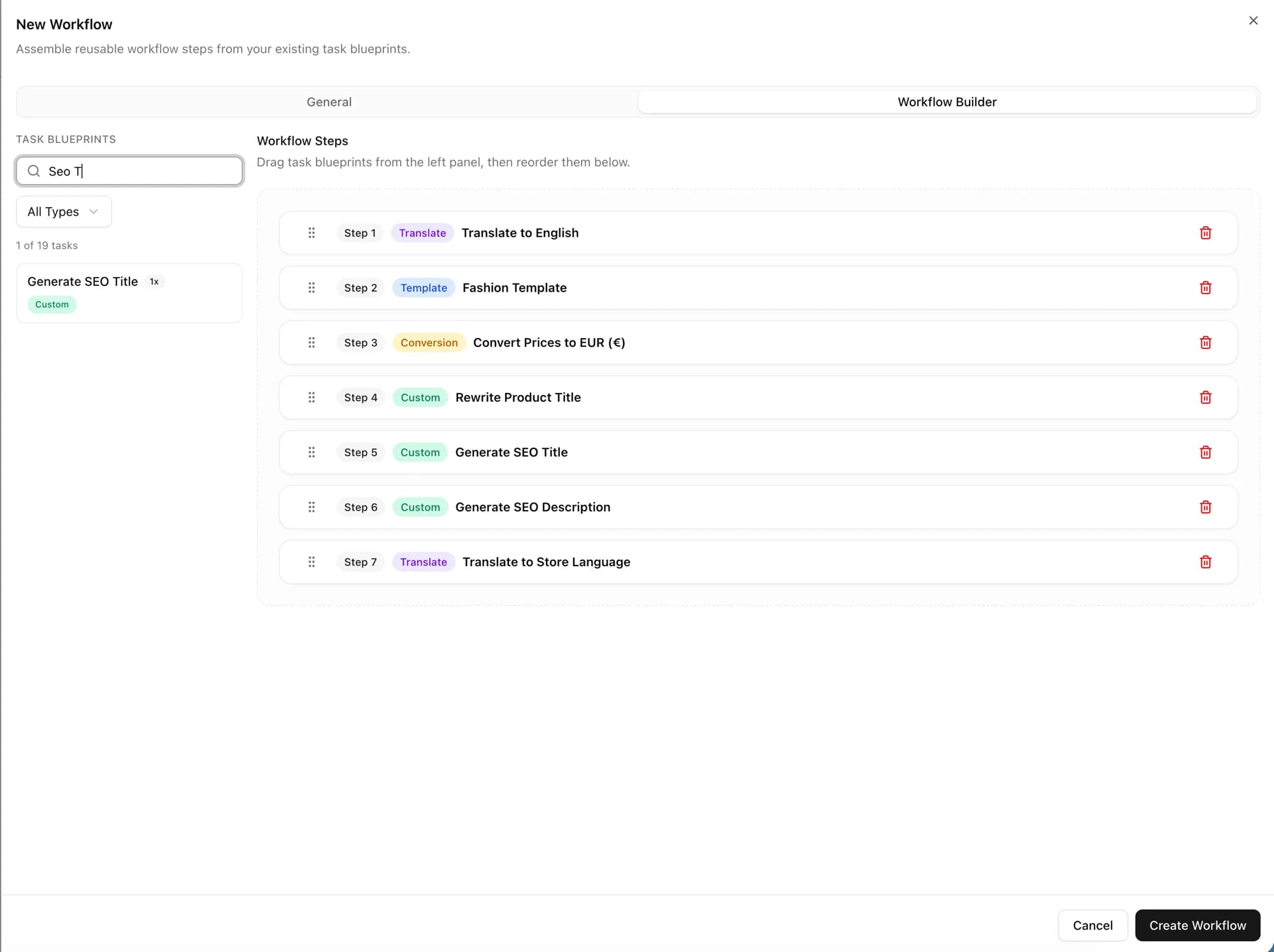
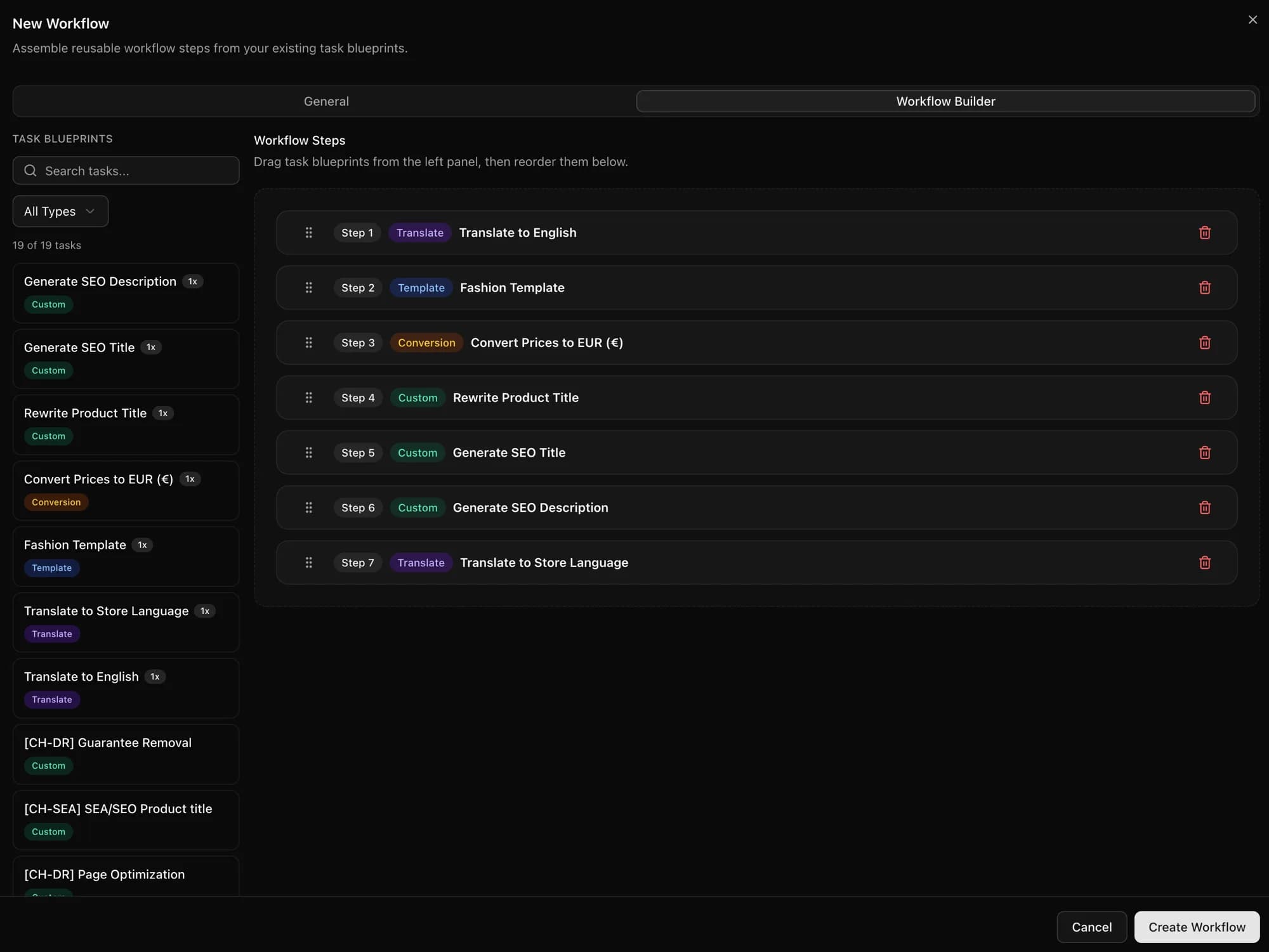
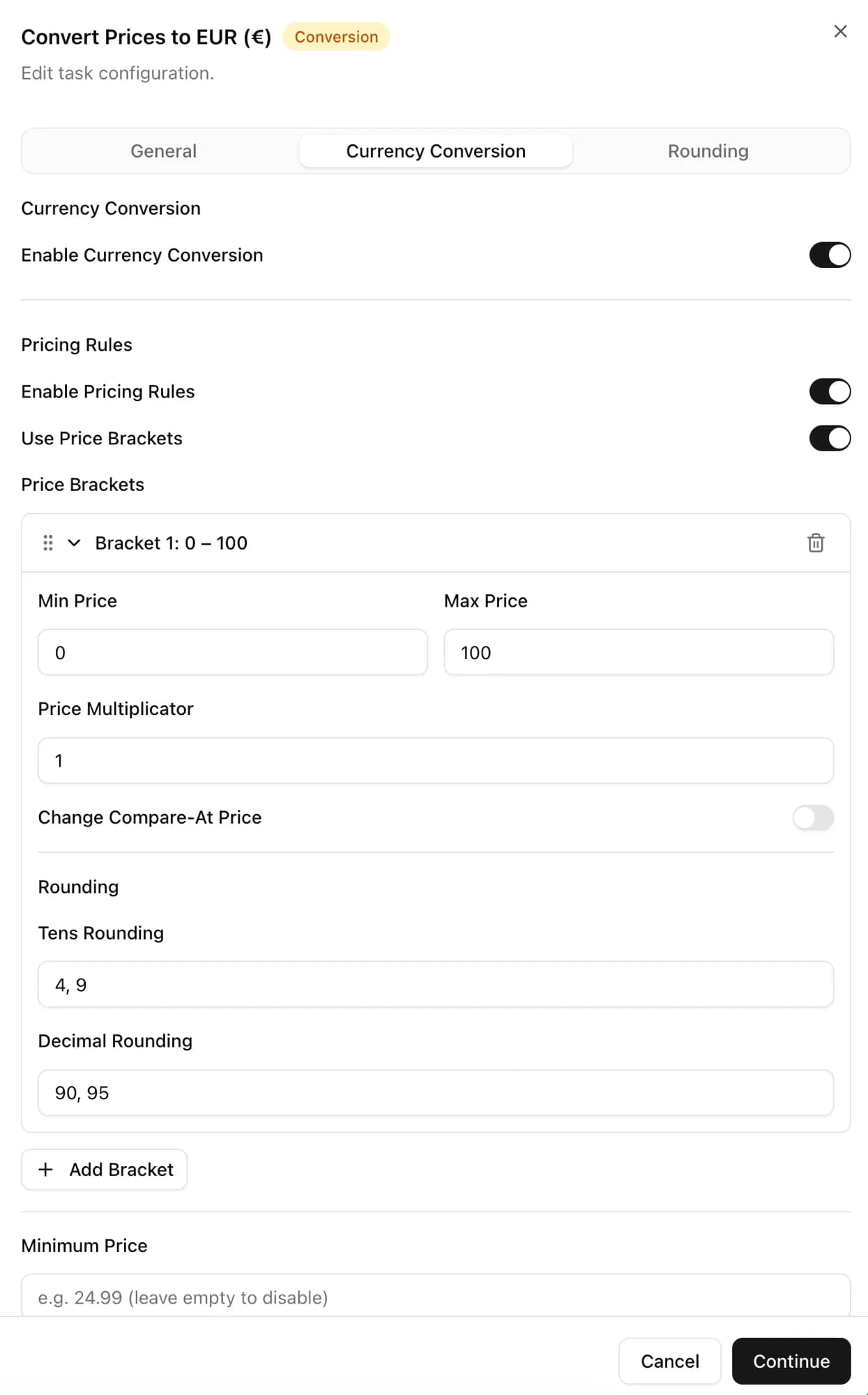
Prices that look local, not converted
CopyHero converts every price to the store's currency and applies your markup and rounding rules. Your German shoppers see €34.95, not €34.36.
One product, every store you run
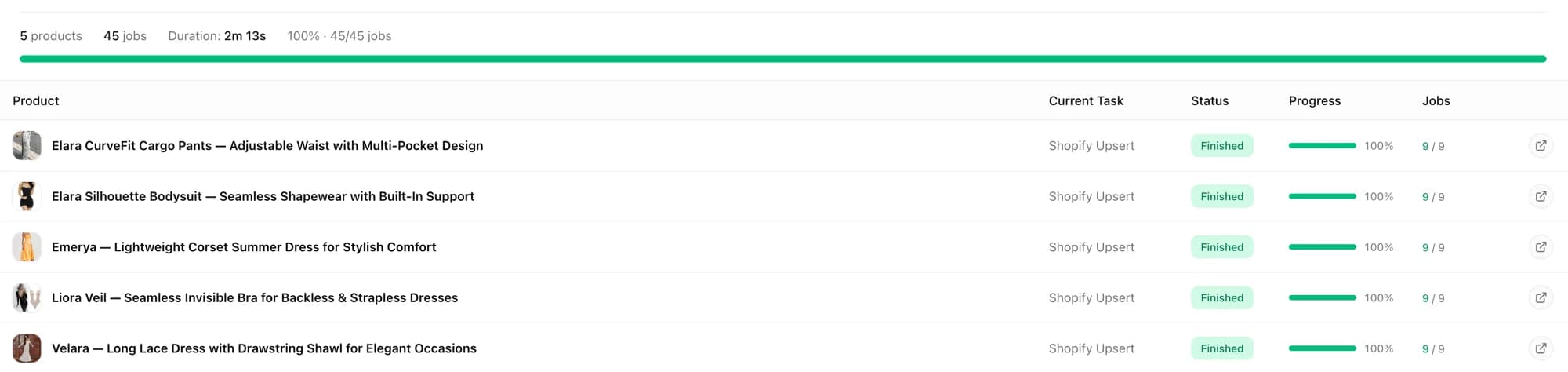
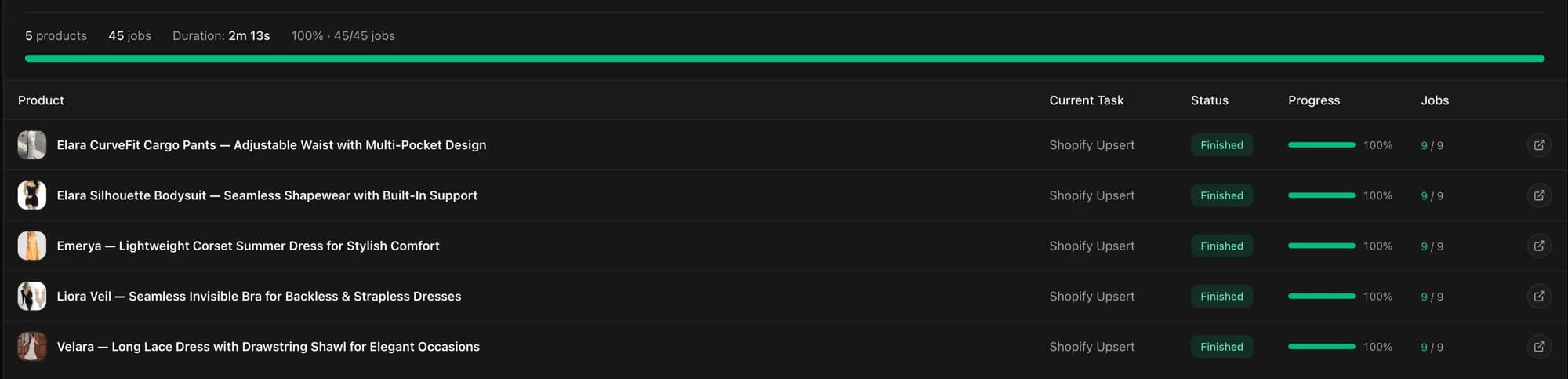
Connect as many stores as you need on Scaling or Professional; Starter includes 1. Send the same products to each one, and every store gets its own language, prices, and look.
Shopify Markets or a separate store per market?
Shopify Markets lets one store sell to many countries. A separate store per market can feel local down to the last detail, and Shopify Plus includes 9 expansion stores at no extra cost. The catch: every new store starts empty. That's where CopyHero wins: it fills each one with finished listings.
| Option | Shopify MarketsOne store, many countries | A store per marketSuch as Shopify Plus expansion stores |
|---|---|---|
| Best for | Selling one catalog abroad from a single admin | Markets that should feel local, from copy to photos |
| Language and currency | Local currencies; Translate & Adapt auto-translates up to 2 languages, not product images | Each store has its own language and currency |
| With CopyHero | Finished listings in your store's language | Finished listings in every store: translated, repriced, and in its look |
Shopify details from its Help Center, September 2026: Markets, Translate & Adapt, and expansion stores. Stores don't share products by default.
Keep a sync or fulfillment app, such as Syncio, for stock and orders. CopyHero handles the listings.
Plans start at €99 a month. Scaling and Professional connect unlimited stores.
Frequently Asked Questions
Straight answers about importing products, opening new markets, and running several Shopify stores.
Which tool imports products from another Shopify store's URL and rewrites them with AI?
CopyHero is built for exactly that. Paste a product or collection URL, or import the page you're viewing with the Chrome extension, and CopyHero rewrites the title and description with AI, translates them, converts the price, and publishes the product to your store. It's best for stores that test new products often or sell in several languages.
How do I copy products from one Shopify store to another?
Paste the product or collection URL into CopyHero: it brings in the title, description, images, and variants, rewrites the copy with AI, and publishes the product to your store. Between two stores you own, you can also export a CSV and load it with Shopify's CSV import, but the listing arrives unchanged.
Can I use another store's product photos and descriptions?
Not as they are. Only import products you're allowed to sell: CopyHero rewrites the copy so the words are yours, but the photos still belong to the other store, and AI images generated from them don't change that. Use your own photos, or ask the store for permission.
How do I sell the same products in several Shopify stores, in different languages and currencies?
Connect each store to CopyHero and send the products to each one: every listing is translated into that store's language and priced in its currency, with your rounding rules. If you'd rather sell from one store, Shopify Markets handles local currencies, and Translate & Adapt auto-translates up to 2 languages.
What is a Shopify expansion store?
An extra store in a Shopify Plus organization, often used to sell in another language, region, or currency; Plus includes one main store and nine expansion stores at no additional cost. A new expansion store starts without products, because stores don't share data by default. CopyHero fills it with your products, translated and repriced for that market.
Does Shopify have a product exporter?
Yes, Shopify's product export is built in: go to Products, click Export, choose the products and a CSV format, and click Export products. The file lists image URLs, not the images themselves. To move products into another store, CopyHero skips the CSV and imports them straight from their product pages.
Can I clone a Shopify store?
Yes, by hand: Shopify's duplication guide has you export products and customers as CSV files, import them into the new store, and add the same theme. CopyHero takes care of the product part: it copies your products into the new store, translated and repriced for its market.
How many Shopify stores can I connect to CopyHero?
As many as you need on Scaling or Professional; Starter includes 1 store. Plans start at €99 a month with a 7-day free trial, and one product can go to several stores, each in its own language and currency.
Import it once. Sell it in every store.
Paste a product link, choose your templates, and publish a finished listing to every store you run.