Bulk upload products to Shopify, finished and ready to sell
Stop uploading products one by one. CopyHero is the bulk listing tool for Shopify: hand it a list of AliExpress or Shopify links, or a CSV, and get finished listings in your store, with AI-generated titles, descriptions, and product images, translated and priced. Your VA gets to focus on the work that needs judgment.
From €0.20 per finished product.
Every link comes back as a finished listing
CopyHero turns every supplier listing on your list into one that looks like your brand made it: a new title and description, fresh images, your customers' language, and your price.
Example: one product from a bulk run
 Straight from AliExpress
2024 New Summer Women Dress Short Sleeve Floral Print Patchwork Belted Casual A-Line Dress S-3XL
- Machine-translated text: “Please allow slight color difference”
- The same flat-lay photo every other store runs
US $23.87
 After CopyHero
Marigold Tie-Waist Dress – Soft, Breezy, Made for Sunny Days
- Benefit-led copy, specs, and FAQs from your template
- Fresh product images in your store's look
- In your customers' language, at your price
€34.99
Keep DSers or AutoDS for the orders. CopyHero handles the listing your customers see.
How do you add multiple products to Shopify at once?
With CopyHero it's three steps: add your links, pick your setup, and get finished listings in your Shopify store.
Add your links
Paste AliExpress or Shopify product links, upload a CSV, or add a Shopify collection link. One list can mix both.
Pick your setup
Choose your store, then your templates, your own prompts, your language, and your pricing rules. Save it once and reuse it on every list.
Get finished listings
CopyHero rewrites every product, adds fresh images, translates and prices it, then creates it in Shopify, as a draft if you like.
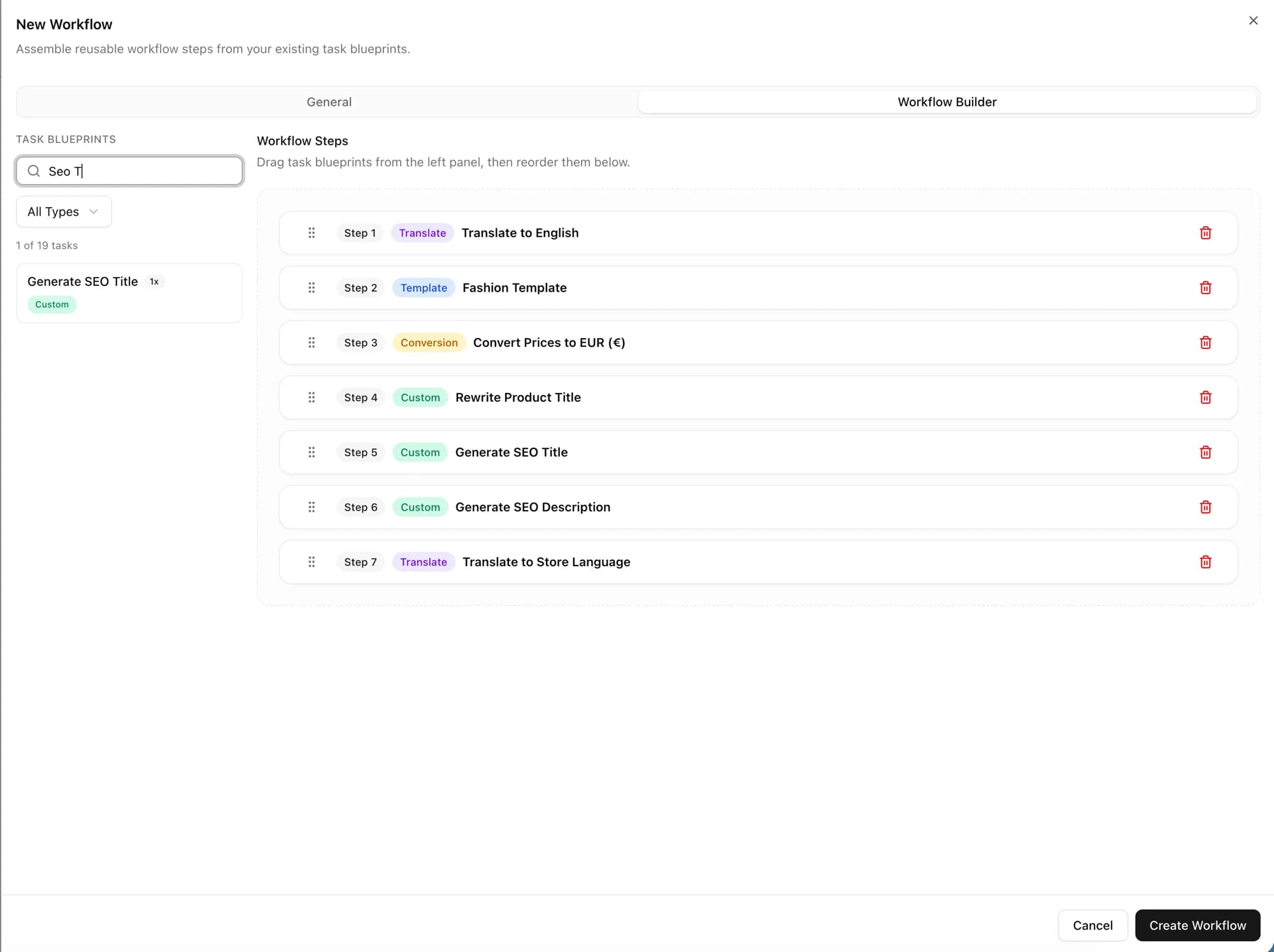
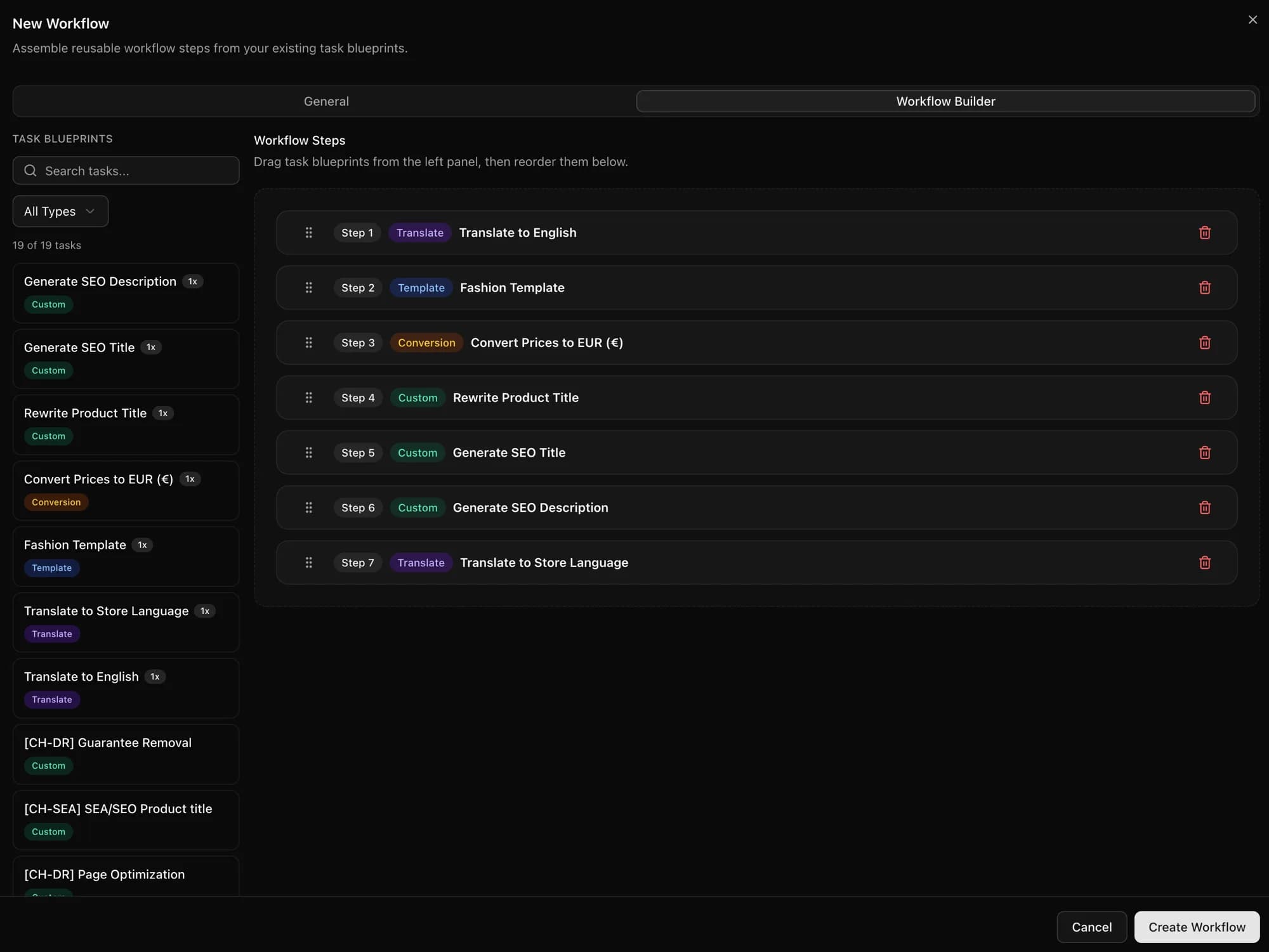
Everything a listing needs, for the whole list at once
Copy, images, language, and price, handled for every product on your list. CopyHero is best for stores that list in bulk, sell in several languages, or are replacing VA uploads.
Hand over the whole list at once
Stop adding products one at a time. Paste the whole list or upload a CSV, and CopyHero runs your setup on every product, then creates each one in your Shopify store. You can follow every product until it's finished.
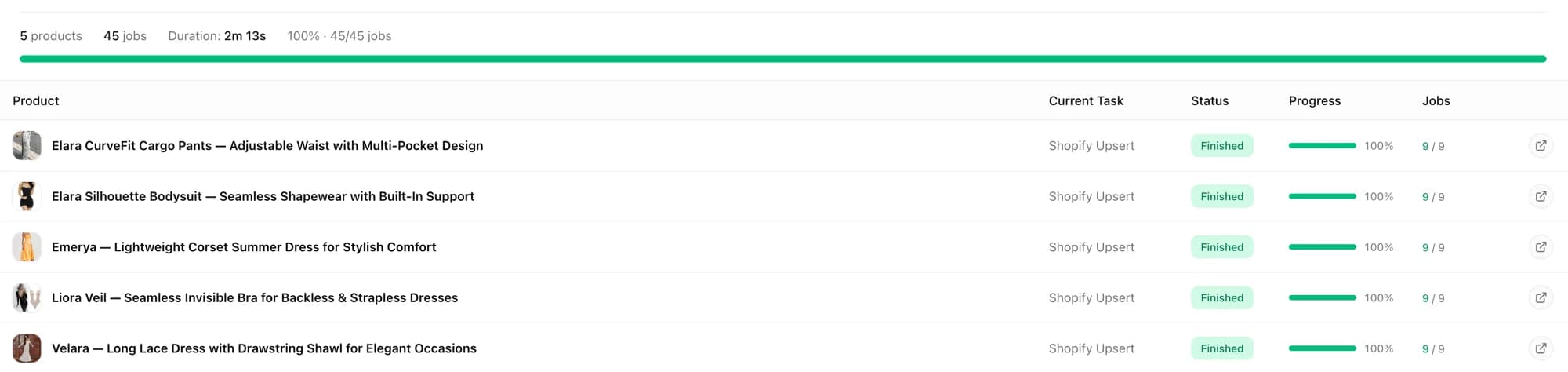
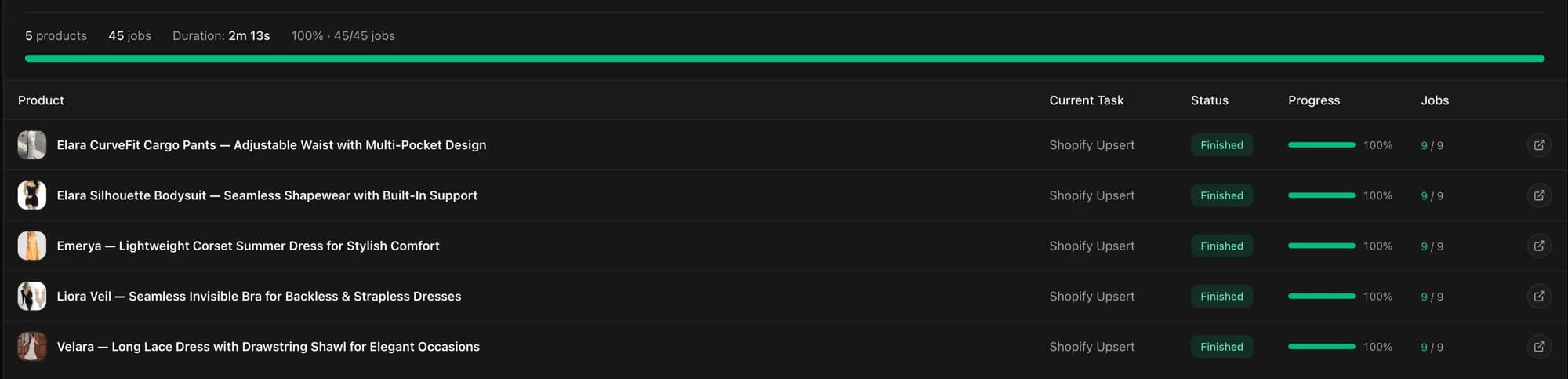
Fresh product images for every product
Supplier photos are on every store that sells the product. CopyHero generates new images from each product's own photos, in the look of your image templates, so your store looks like a brand. Chinese text on a supplier photo? Translate it with CopyHero's image translator.
 Supplier photo
 After CopyHero
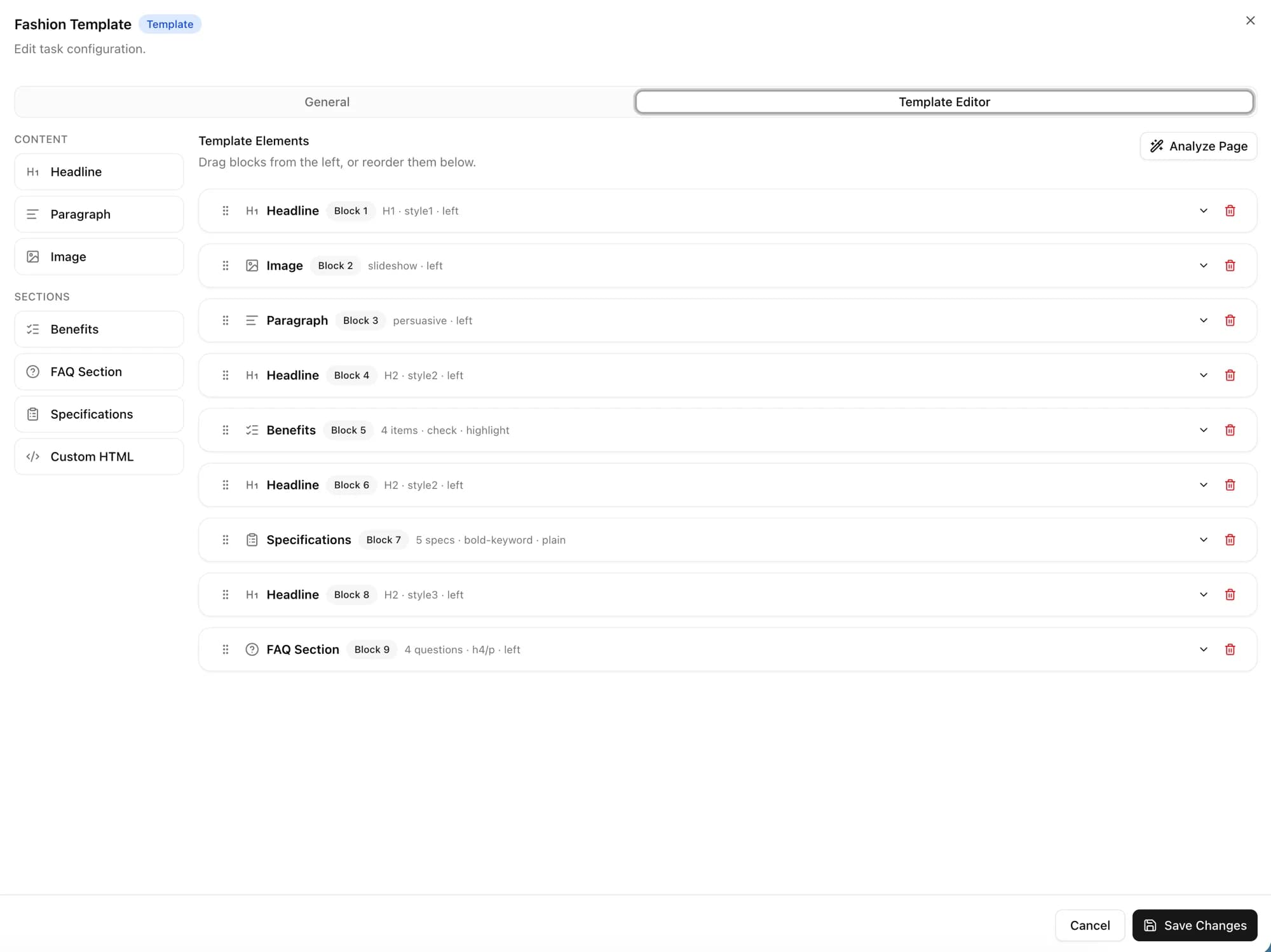
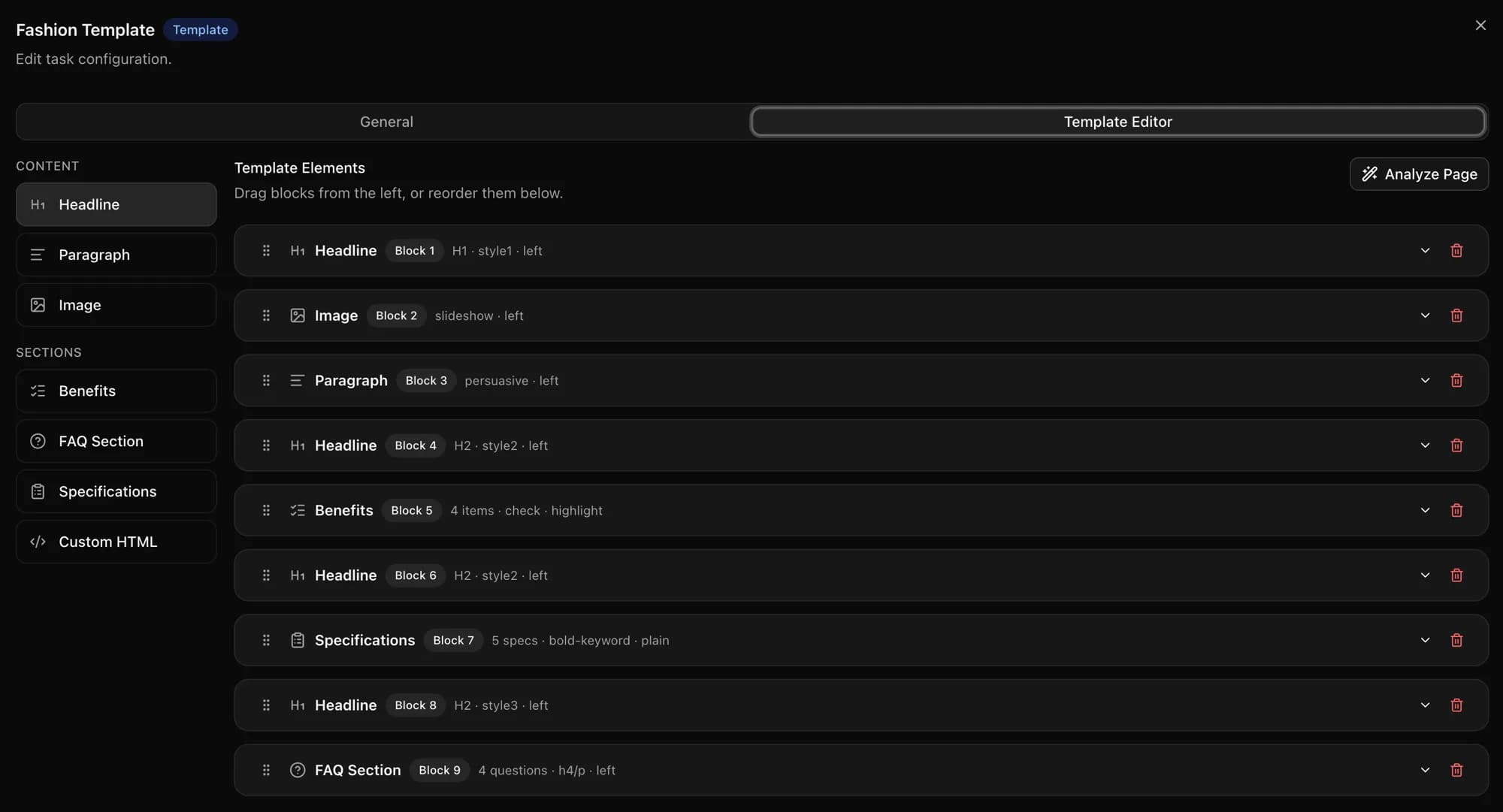
Your structure and your voice on every listing
Build your description once: headline, benefits, specs, FAQs, and images, in the order you want. Add your own prompts for titles, SEO fields, or anything else, and every product on the list sounds like your store wrote it.
Your customers' language, your prices
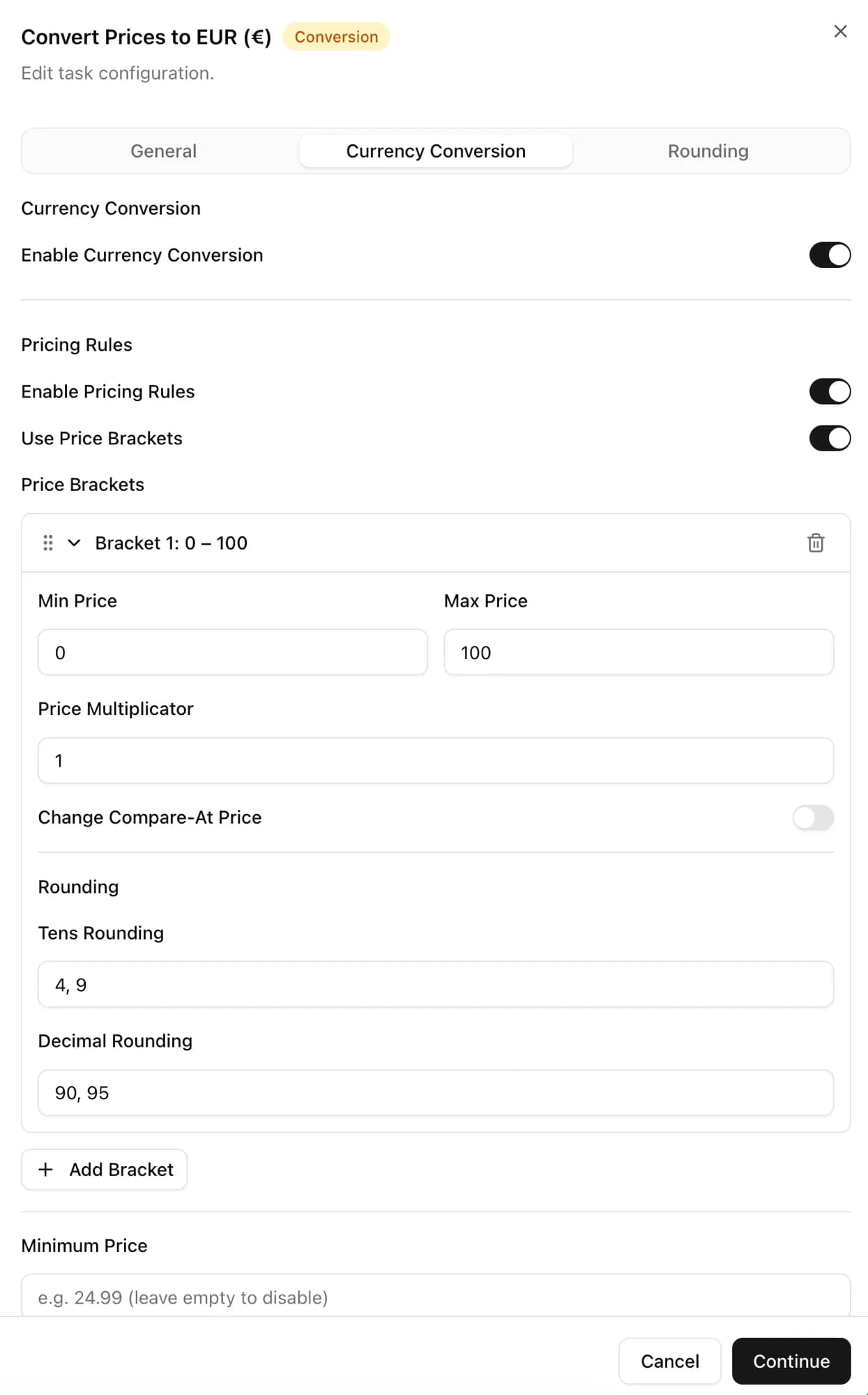
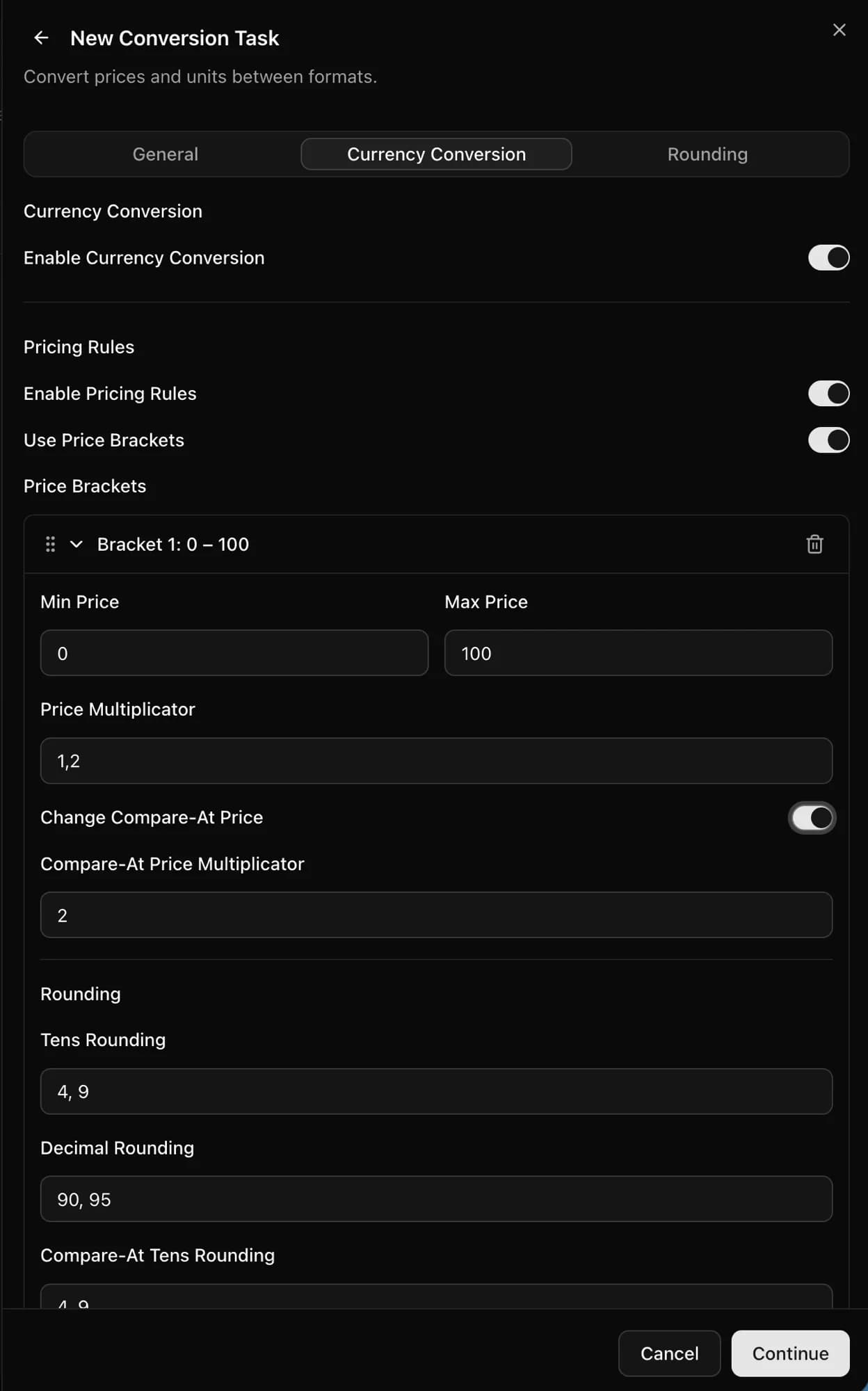
Every listing arrives in the language you choose, or in your store's own language. Prices convert to your currency and follow your markup and rounding rules, so odd supplier prices turn into prices that look like you set them.
Can a tool take over your VA's product uploads?
Yes. CopyHero does the copy-paste part of a Shopify virtual assistant's day, from product link to finished listing, so your VA can spend their hours on the work that needs judgment.
CopyHero takes the copy-paste
- Copying titles, descriptions, and photos from every link
- Rewriting each listing in your structure and voice
- Creating fresh product images
- Translating and pricing every product
- Creating the products in Shopify
Your VA keeps the judgment calls
- Finding products worth testing
- Comparing sizes and specs with the supplier
- Checking listings before they go live
- Looking after customers and suppliers
What does each finished product cost?
From €0.20 per finished product. At full use, a finished product costs €0.28 on Starter, €0.27 on Scaling, and €0.20 on Professional, and raw imports are unlimited on every plan.
| Plan | Pricea month | Finished productsa month | Per finished productat full use |
|---|---|---|---|
| Starter | €99 | 350 | €0.28 |
| Scaling | €199 | 750 | €0.27 |
| Professional | €399 | 2,000 | €0.20 |
Starter includes 1 store; Scaling and Professional include unlimited stores. 7-day free trial. For current offers, see the pricing page.
Frequently Asked Questions
Straight answers about bulk uploading products to Shopify with CopyHero.
Can you bulk upload products to Shopify?
Yes. Shopify's own CSV import creates many products from one file of up to 15 MB, but you fill in every title, description, and price yourself. CopyHero starts from links instead: paste AliExpress or Shopify product links or upload a CSV, and you get finished listings in your store.
What's the best tool to create Shopify listings in bulk from AliExpress links?
CopyHero, if you want finished listings rather than supplier data copied as-is. Paste the AliExpress links or upload a CSV, and it writes titles and descriptions with AI, generates product images, translates, prices, and creates every product in your Shopify store. It's best for stores that list in bulk, sell in several languages, or are replacing VA uploads.
Can CopyHero automate the product uploads my VA does?
Yes. Hand CopyHero the list of AliExpress or Shopify links your VA would work through, and it builds each listing: copy, images, language, and price, created in your Shopify store. Your VA keeps the judgment calls, like finding products worth testing and checking listings before they go live.
Does CopyHero create product images too?
Yes. An image block in your description template generates new images from each product's own photos, in the style of an image template you pick, so your listings don't reuse the photos every other store runs. For Chinese text on supplier photos, use CopyHero's image translator.
How many products can I upload at once?
Each upload takes up to the limit shown in the import dialog, and you can run as many uploads as you like. Your plan sets how many products CopyHero finishes each month: 350, 750, or 2,000, with raw imports unlimited.
Can I mix AliExpress and Shopify links in one upload?
Yes. One upload can mix AliExpress and Shopify product links, pasted or in a CSV, and CopyHero checks every link before you confirm. To copy products from other Shopify stores, see the Shopify product importer.
Can I check the listings before they go live?
Yes. Choose draft status when you import, and every finished listing waits in Shopify for you or your VA to review and publish. To change every future listing, adjust your template once instead of editing products one by one.
Can you bulk edit products on Shopify?
Yes. Shopify's bulk editor changes many existing products and variants at once: open Products, select the products, and click Bulk edit. CopyHero covers the step before that, turning product links into new, finished listings.
Hand over the list. Get finished listings back.
Paste your AliExpress or Shopify links or upload a CSV, and see your first finished listings in Shopify.